VAMO APP
VAMOWINS mobile app
Save storage space, and play smoothly! Scroll down to learn how to install the app step by step.
How to install web app on Android
Step 1
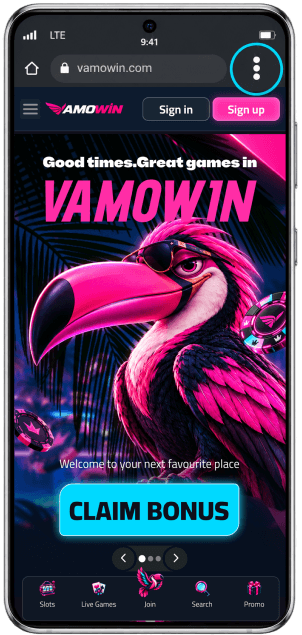
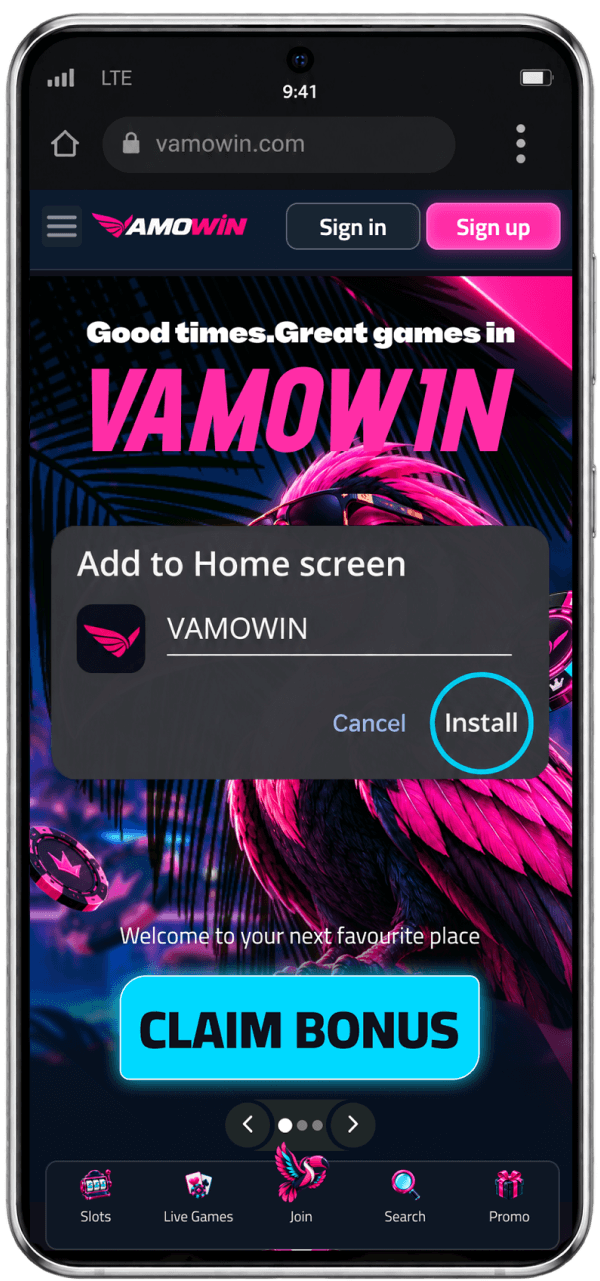
Go to the VAMOWIN-Casino homepage and tap three dots to open the browser menu.
Step 2
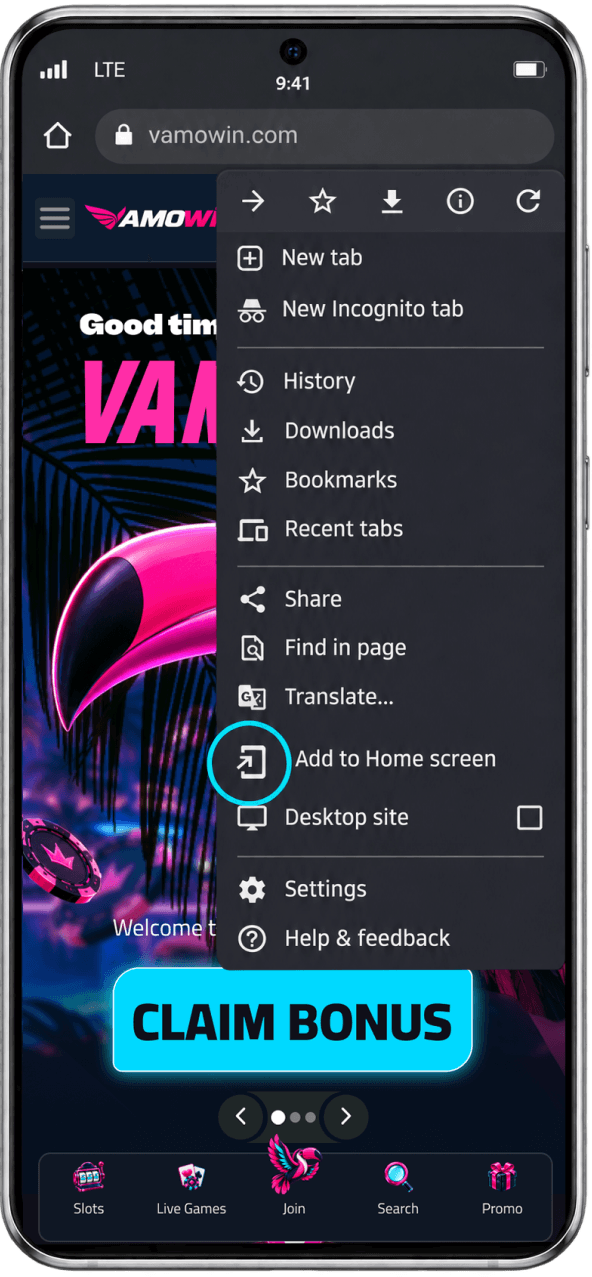
Choose “Add to the Home Screen” from the menu list.
Step 3
Confirm your selection by clicking the “Install” button.
How to install web app on iPhone
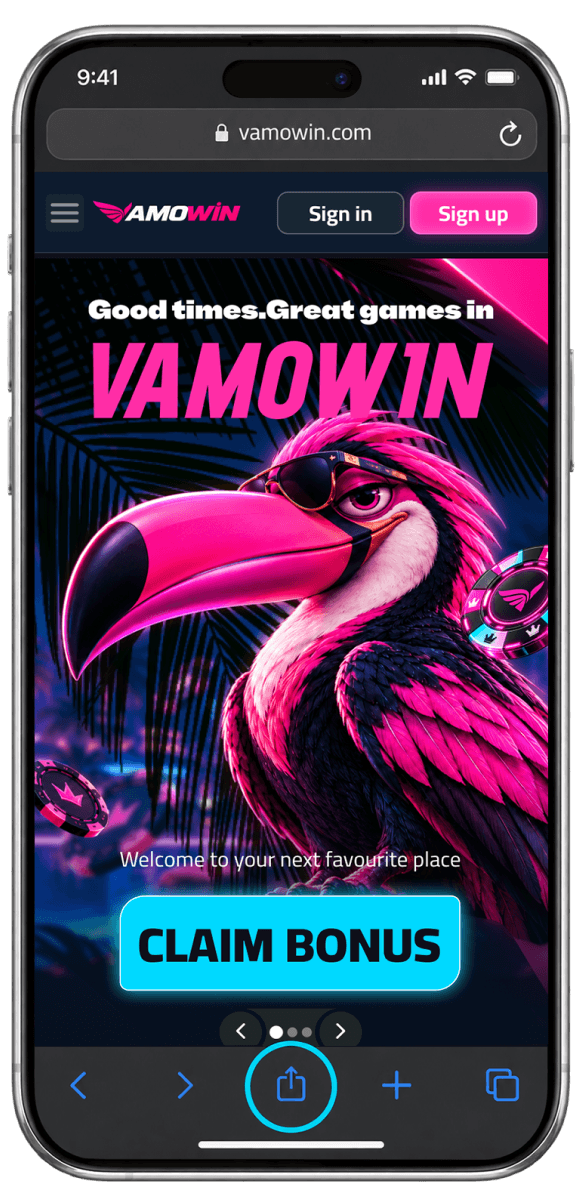
Step 1
Open VAMOWIN-Casino with Safari, tap “Share” on the bottom navigation panel
Step 2
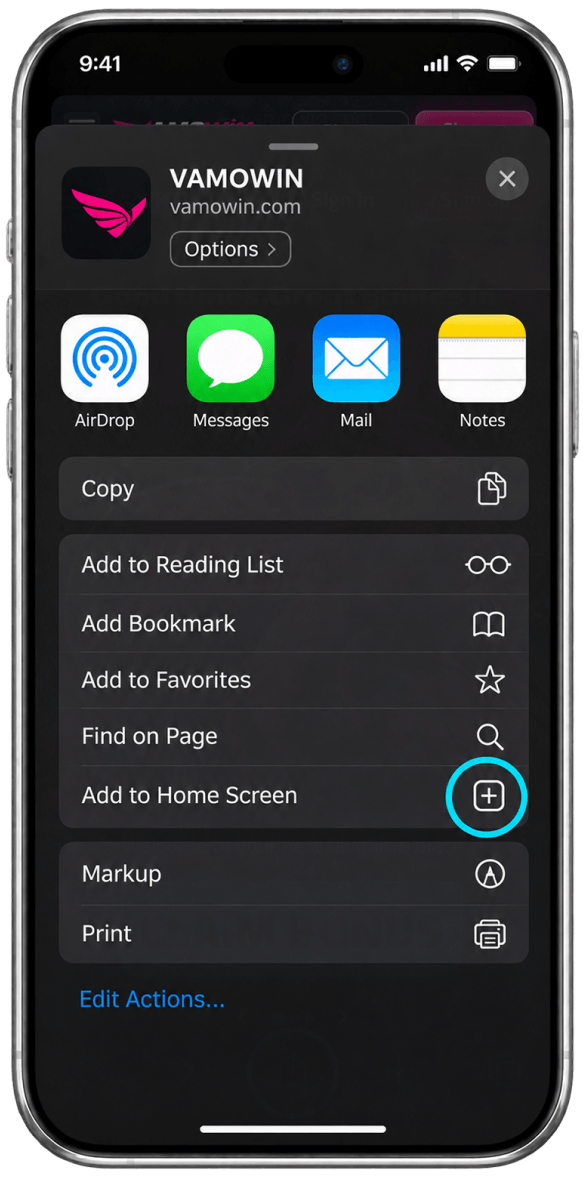
Locate and select the “Add to Home Screen” option from the menu.
Step 3
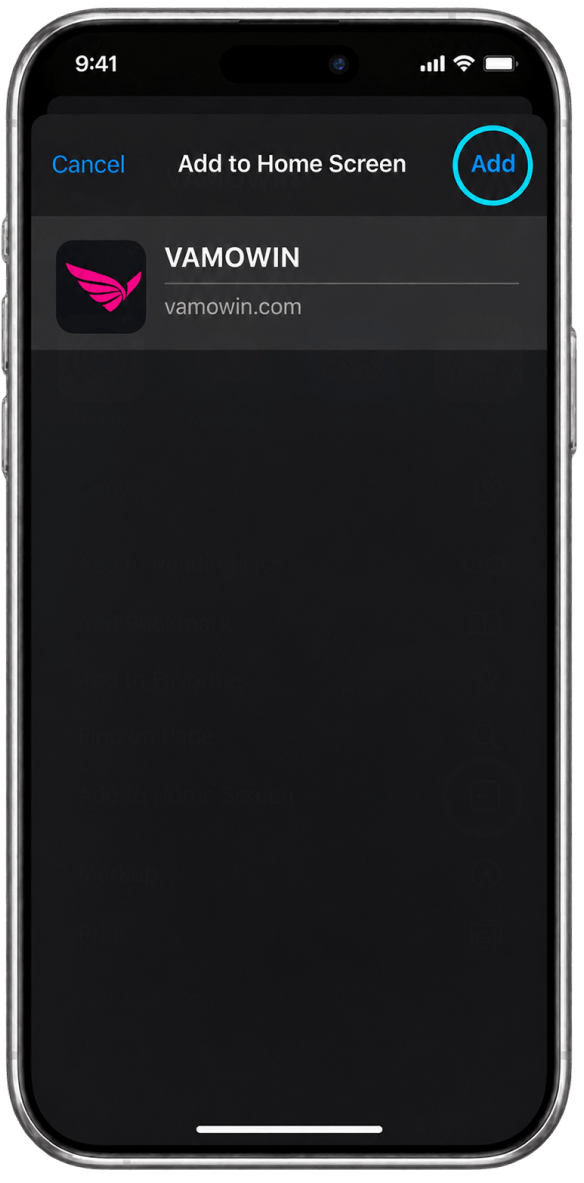
Confirm your selection by tapping the “Add” button.